CASA Tier 2 assessed
Validation for the Google OAuth app was performed by TAC Security through the App Defense Alliance CASA program.
Gmail attachment + archive workflows for professionals
Review attachments across threads, filter out signature clutter, reveal the source email, and save the right files to Drive without opening every message by hand.
Works with Chrome, Edge, Opera, Atlas, and other Chromium-based desktop browsers. Safari for Mac coming soon. AttachDock is free to use. Upgrade only if you want extras like ZIP exports, saved Drive folders, and full email archives.
Security & trust
AttachDock completed a CASA Tier 2 security assessment for its Google OAuth app, with validation performed by TAC Security through the App Defense Alliance CASA program. Your Gmail messages stay in Gmail. Your saved files and archives go to Drive. AttachDock does not store Gmail attachment files on AttachDock servers as part of ordinary workflows.
Validation for the Google OAuth app was performed by TAC Security through the App Defense Alliance CASA program.
Gmail remains the source record, and Drive remains the destination for saved files and archives.
Security-conscious copy and workflows for mortgage, legal, finance, and other regulated teams.
Gmail was not built for document filing
Gmail threads turn into document graveyards: revised PDFs, signed forms, forwarded screenshots, duplicate filenames, buried spreadsheets, and endless reply chains. AttachDock brings the useful files forward so you can review, save, and archive the record without digging through every email.
Full Gmail archive export
When a Gmail label, search, or category becomes the record, AttachDock can build the archive in Google Drive. It can include message pages, attachments, headers, original email source files when available, and an index you can review later. Save it as a Drive folder, a ZIP file, or both when you need a browsable record and a portable copy.
Preserve the conversation context, not just loose files.
Collect the documents buried across replies and forwards.
Keep original email details reviewers may ask for later.
Create a browsable Drive folder, a portable ZIP, or both from one archive job.
How it works
Open one thread, select conversations, or work from a Gmail search or label.
See attachments gathered into one focused dock without opening every message by hand.
Hide inline images and filter by file type so only useful documents remain.
Pick a Drive folder, Shared Drive location, or saved destination.
Save selected files, create attachment ZIPs, or generate a full email archive.
Source context
AttachDock helps you review attachments without losing context. Click a file in the dock to reveal the source Gmail conversation and the specific email where that attachment lives, so you can confirm who sent it, what version it was, and why it matters before saving or archiving.
Jump from an attachment row back to the message it came from.
See the surrounding instructions, sender, date, and thread history.
Know which files belong in the record before saving, creating ZIPs, or archiving.
Workflow map
The value is easier to see as a path: find the files, confirm the source email, save or share what matters, then keep the record when the conversation itself matters.
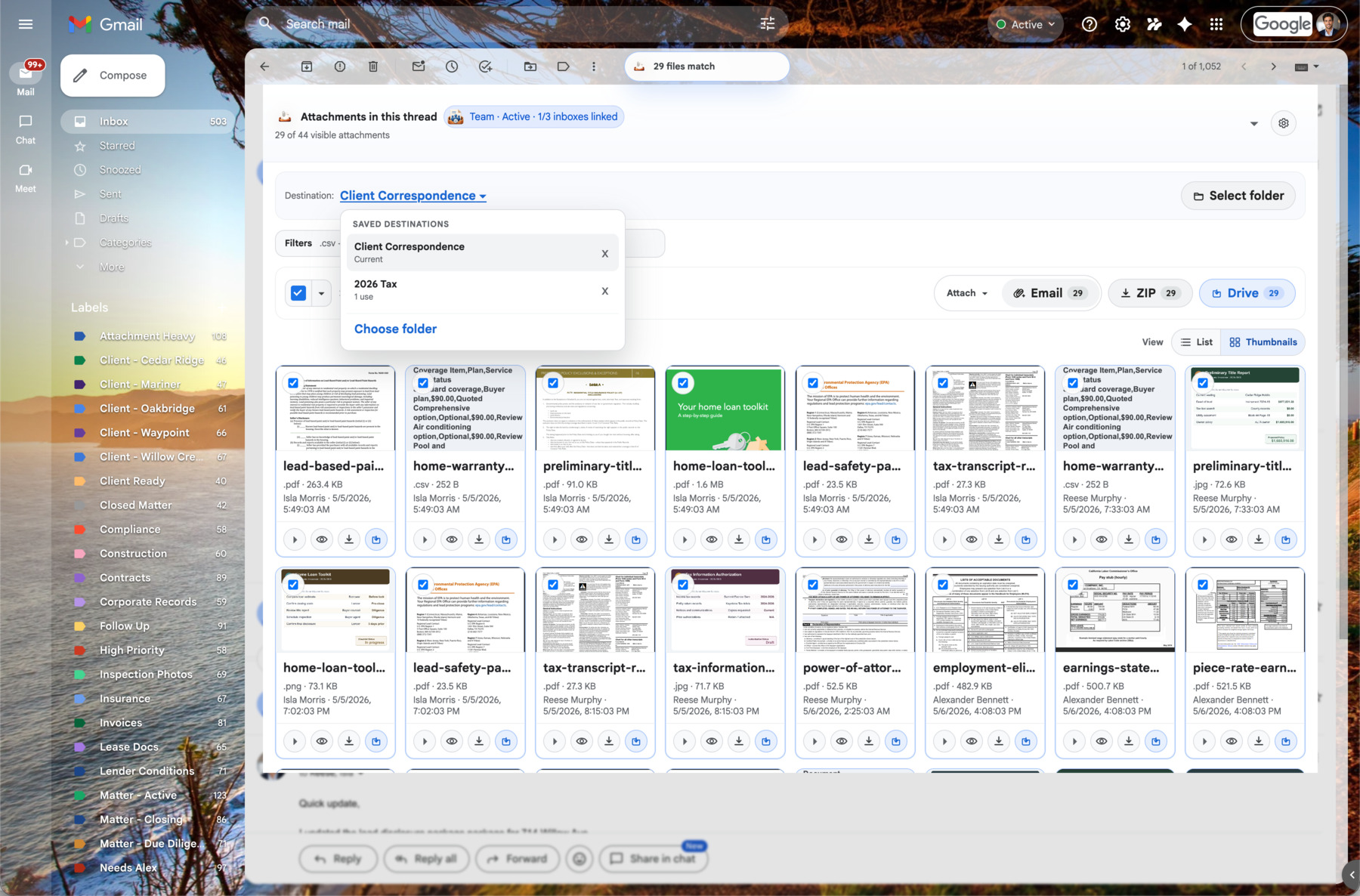
Search and filter the dock so signatures, logos, and noise stop crowding the real documents.
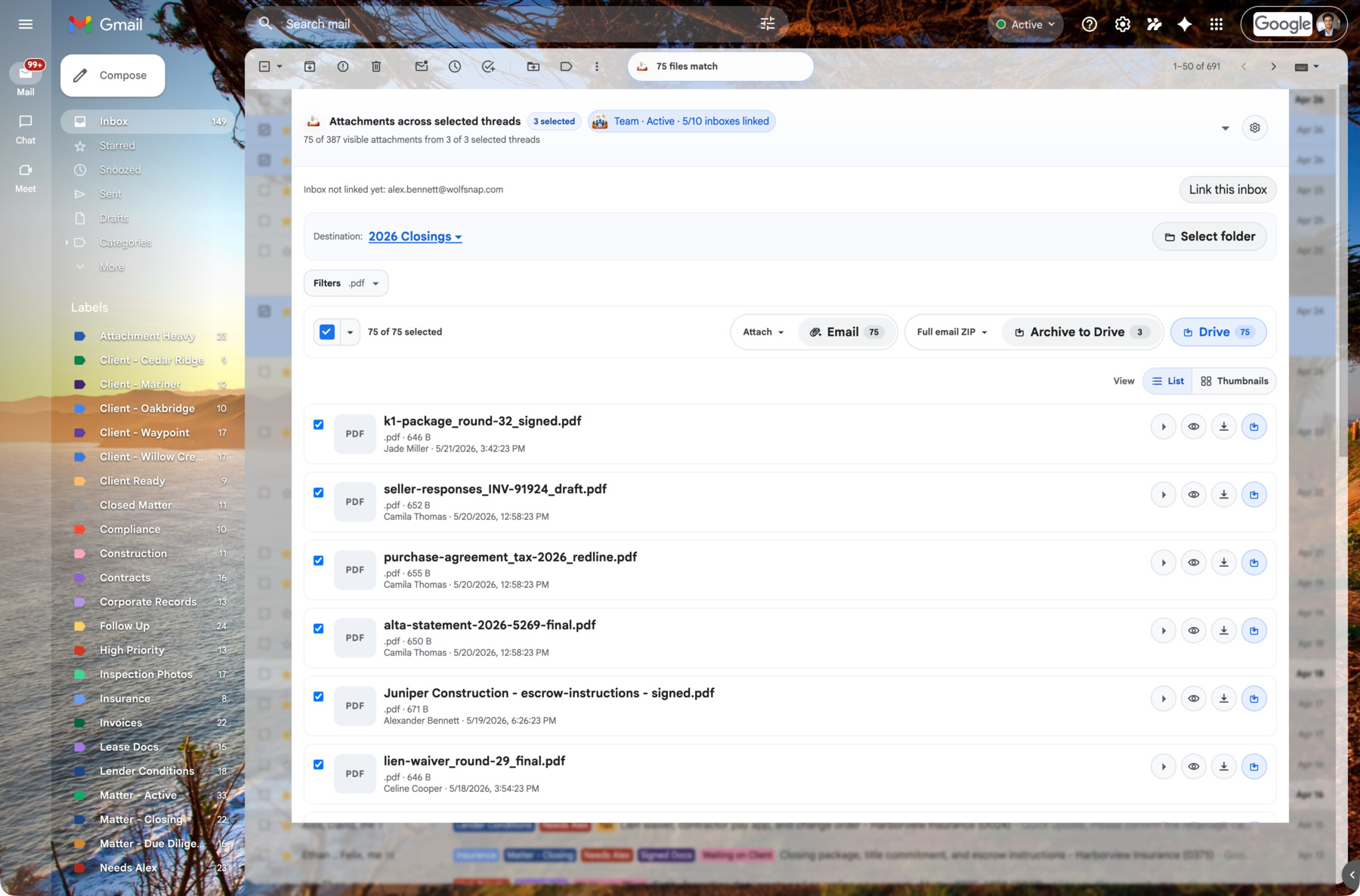
Reveal the source email before saving, exporting, or answering a question about the file.
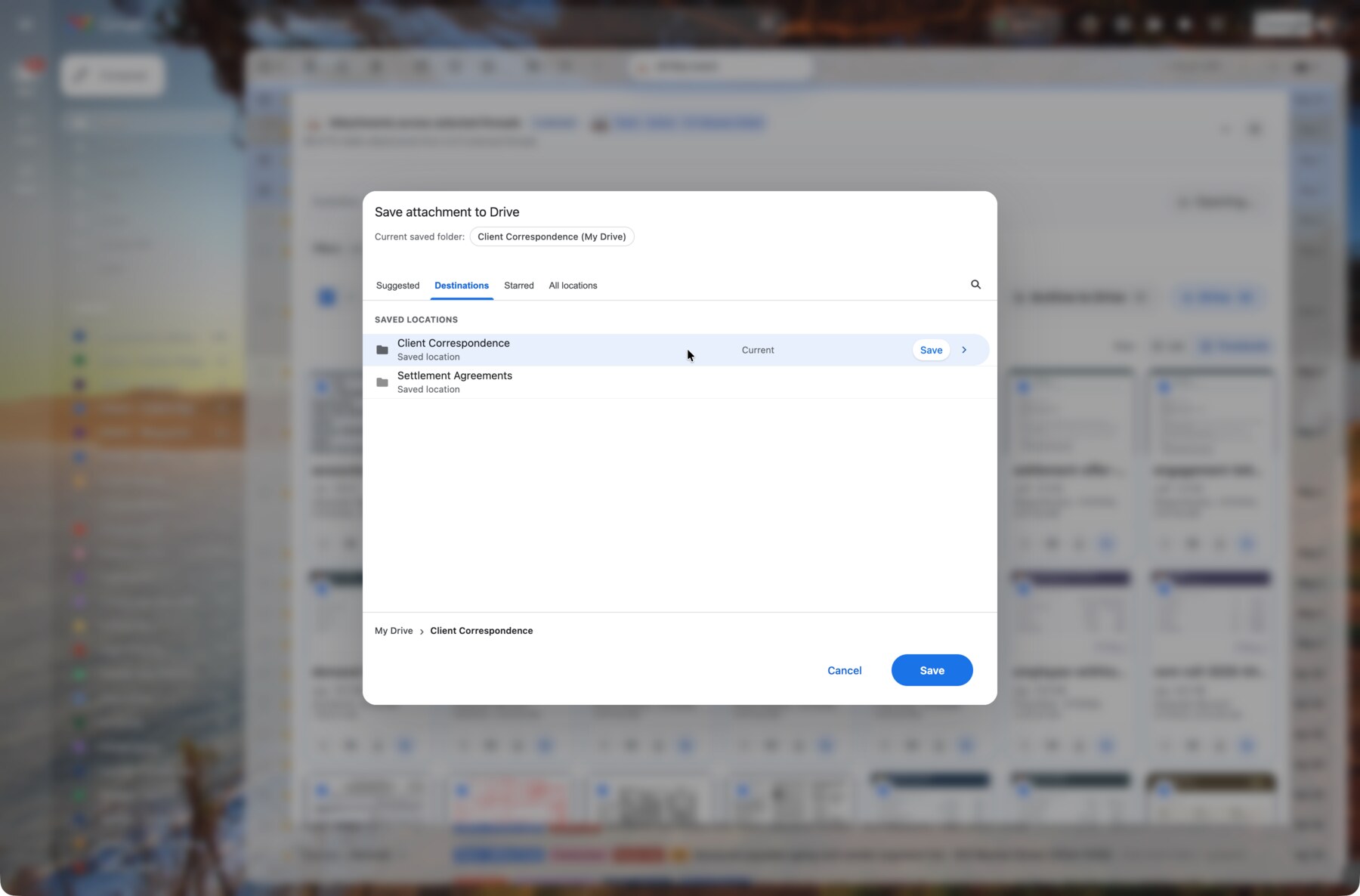
Choose a folder, reuse saved destinations, and keep Gmail intact while Drive becomes organized.
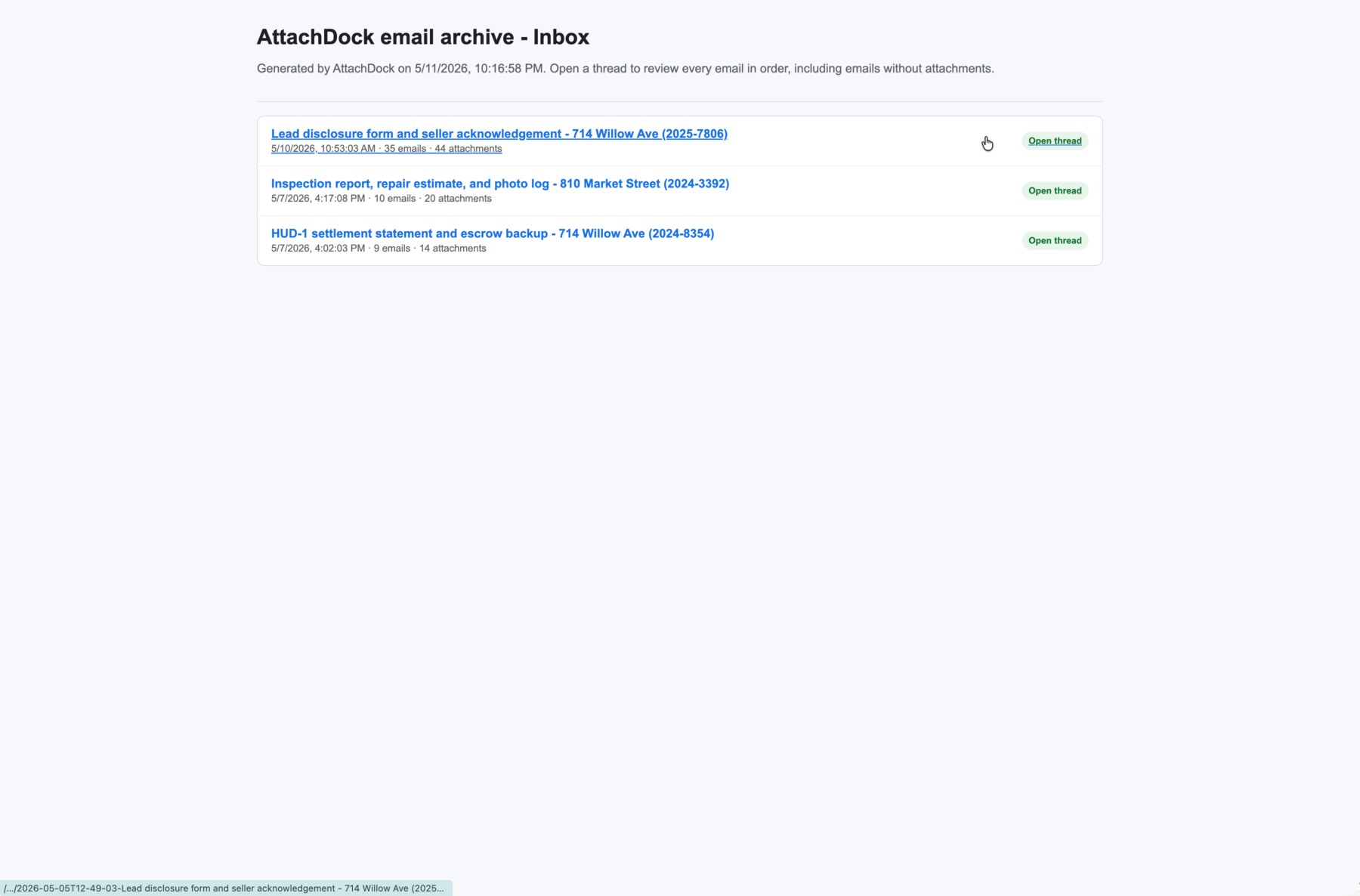
Create a Drive folder, ZIP, or both when the email thread or label needs to become the record.
Inside Gmail
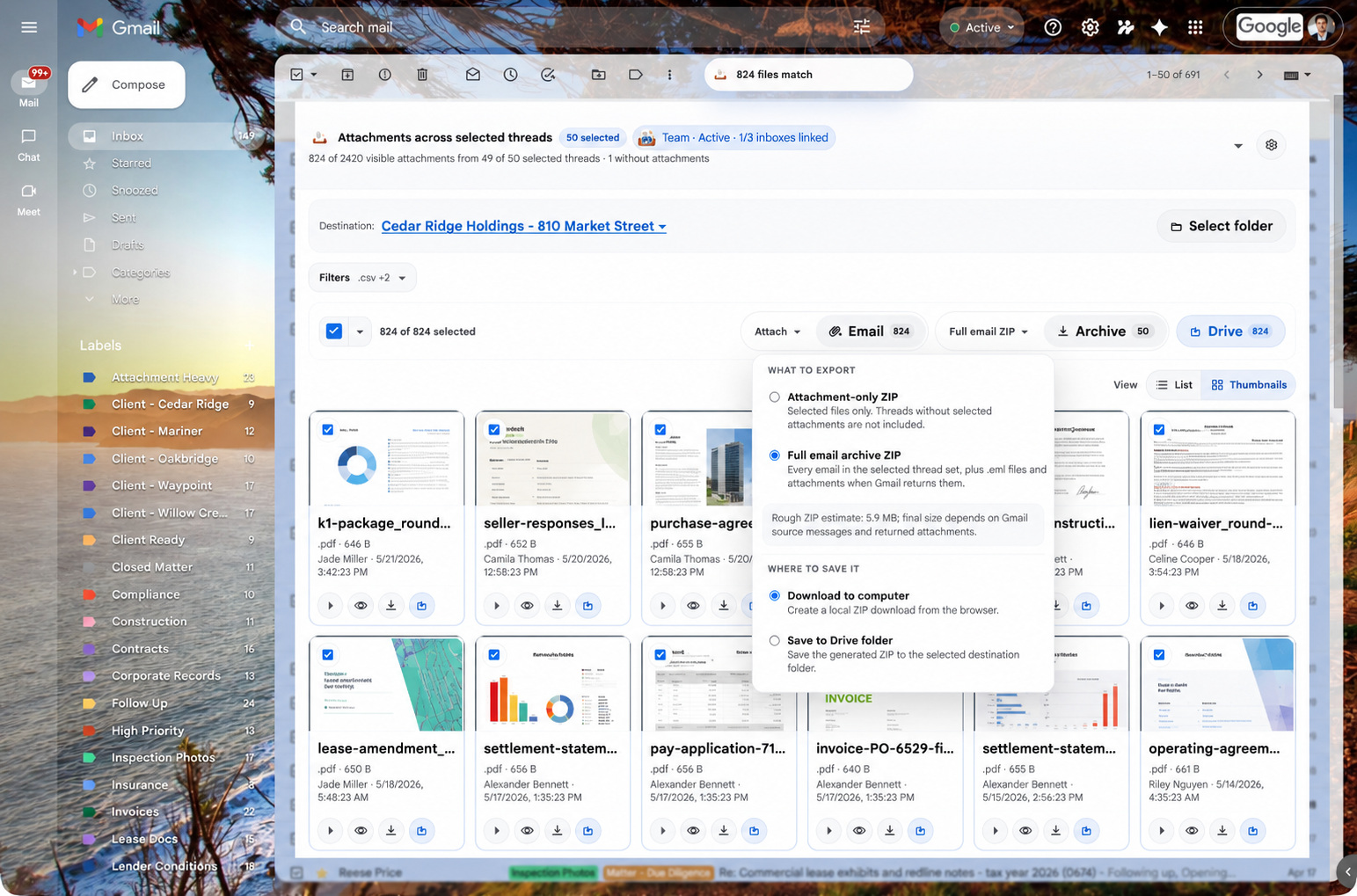
Turn selected or matching Gmail conversations into a full archive job with message pages, attachments, headers, source files when available, and a Drive destination.
Open the generated index to review archived Gmail threads in order, including conversations without attachments.
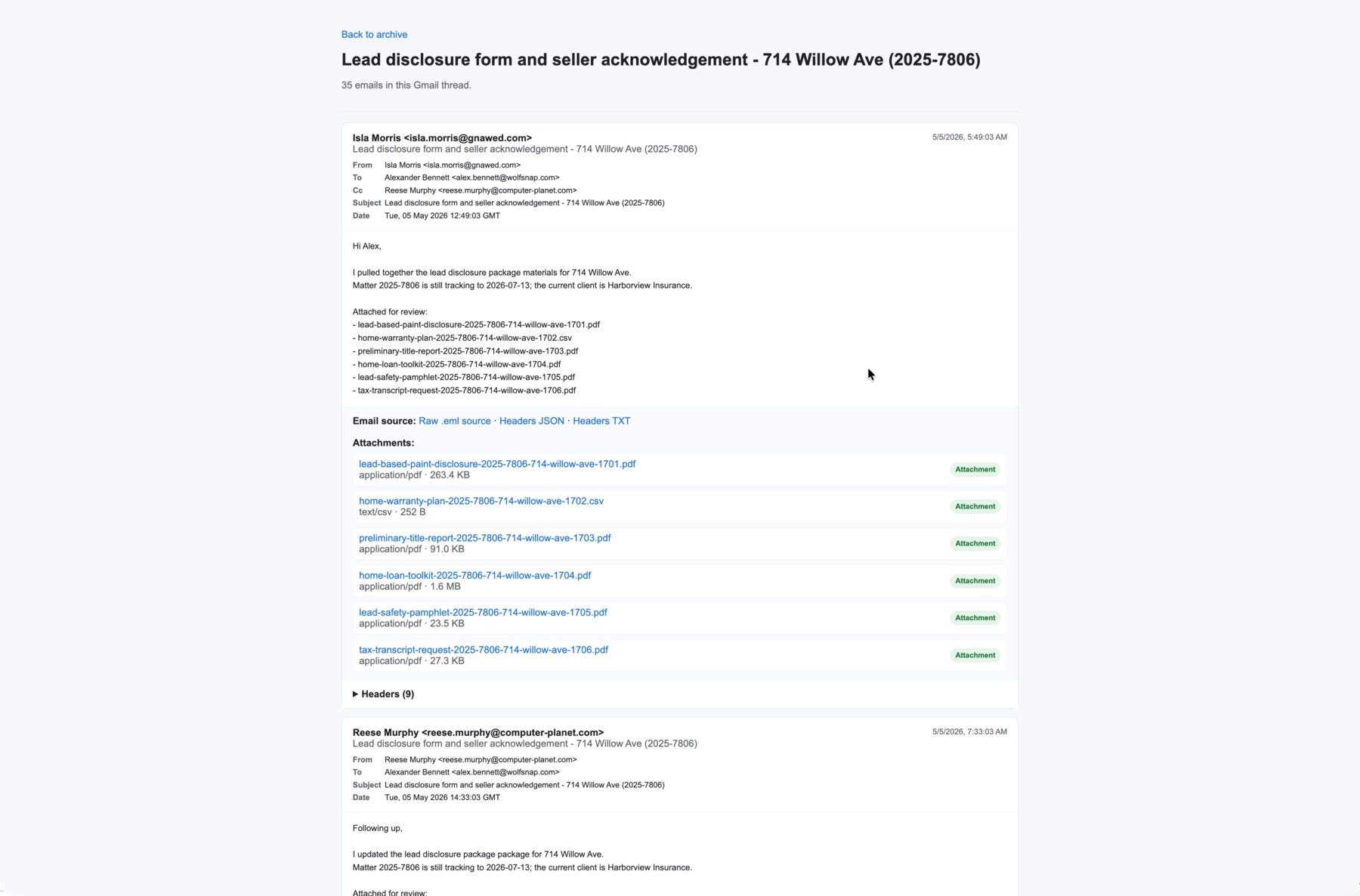
Review each archived email with visible headers, source files, and extracted attachment links.
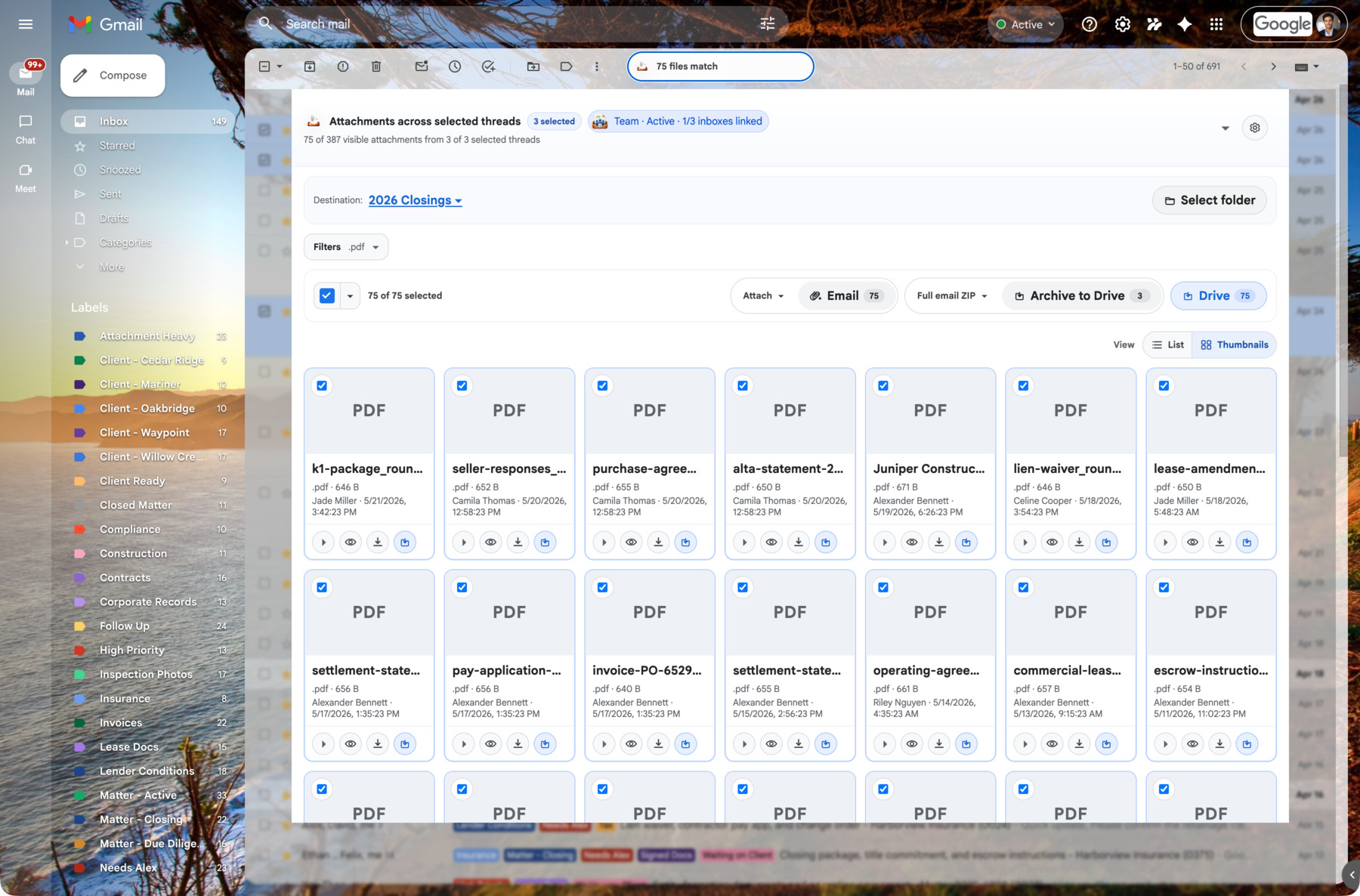
Choose visible Gmail rows and open AttachDock from the Gmail action toolbar.
Product demo
See selected Gmail rows become one reviewable attachment workspace, then email files, archive conversations, download ZIPs, or Save to Drive from the dock.
Your workflow follows your Google account
AttachDock ties plan access, saved destinations, and your core preferences to your authenticated Google identity. Install the extension on another computer, sign into Gmail with the same Google account, reconnect AttachDock, and your familiar workflow is ready again.
Access is based on the Google account you are already using in Gmail.
Keep your tray layout and filing preferences tied to your account.
Reuse regular Drive folders and filing locations when you sign in on another device.
Team users get plan access, mailbox context, and saved workflows across the Gmail accounts they use with AttachDock.
Some browser-specific state, active jobs, and local caches remain device-specific. Drive and Gmail access still depend on the Google account you authenticate and the permissions available to that account.
For serious client work
Pro is great for filing attachments from a single thread and seeing files across selected threads. Business is for people whose inbox actually matters: client conversations, transaction threads, matters, projects, and shared Drive folders.
Review every useful attachment in a long conversation without expanding each message.
Select Gmail conversations and bring their attachments into one reviewable workspace.
Create structured Drive folders, ZIP archives, or both with message pages, headers, source files when available, and attachments.
Let larger label and search archives keep running while you get back to Gmail.
File documents into the right Drive or Shared Drive folder, reuse frequent destinations, and keep repeat client or project filing workflows ready.
Download attachment bundles, attach files to drafts, or prepare Drive links with the sharing you choose.
Use compact row density and per-mailbox tray preferences when different Gmail inboxes need different working defaults.
Who it's for
Find signed forms, disclosures, IDs, inspection reports, invoices, and lender docs buried across long transaction threads. Save selected files or archive the transaction record to Drive.
View pageReview client documents, exhibits, correspondence, and attachments across matters. Click files to see the original email before creating structured archives for review.
View pageCollect invoices, W-9s, statements, receipts, and backup documents from email threads and vendor labels. Save files or archive the supporting record.
View pageGather resumes, onboarding packets, vendor docs, board materials, receipts, and operational records from Gmail without manually opening every thread.
View pagePull deliverables, revisions, approvals, and project attachments into Drive folders or archive the full project communication trail.
View pageOrganize property files, student records, grant materials, board packets, and program documentation with source-email context intact.
View pagePricing
Free
$0
Use AttachDock for free when you just need to review Gmail attachments and save the occasional file to Drive.
Pro
$15.84/mo
Billed yearly at $190
File one thread faster. Review selected conversations without losing context.
Business
$40.84/mo
Billed yearly at $490
For professionals who need bulk Save to Drive, Shared Drives, draft handoff, and structured Gmail records.
Team
$124.17/mo
Billed yearly at $1,490
Business for teams that need central billing, seats, and security-minded rollout controls.
Enterprise
Contact
Organizations that need a formal vendor conversation
Business is where AttachDock becomes a real operational workflow.
FAQ
AttachDock is a Gmail extension that helps you find attachments buried in threads, filter inline clutter, save attachment copies to Drive, create ZIP exports, and generate supported email archives with source records.
Yes. AttachDock can build a Drive archive from Gmail labels and searches it can read. The archive can include message pages, attachments, headers, raw .eml source files when available, and an index for review. Very large jobs depend on Gmail availability, account permissions, and plan limits.
Both workflows exist. You can save selected attachment copies to Drive, export attachment ZIPs, or create full email archives that include email content, headers, and attachment files when Gmail provides the needed data. Drive archives can be saved as organized folders, ZIP files, or both.
No. AttachDock saves copies of attachments and generated archives. Gmail attachments stay attached to the original message, and AttachDock does not delete email or modify the original message.