Emails + message pages
Preserve the conversation context, not just loose files.
Gmail attachment + archive workflows for professionals
AttachDock adds a professional dock inside Gmail so you can review attachments from long threads or selected conversations, filter out inline clutter, save files to the right Drive folder, and create full email archives from supported labels or searches.
Built for Gmail-heavy professionals handling client, transaction, case, project, and operations records.
Gmail was not built for document filing
Client, deal, case, invoice, and project work often lives across messy Gmail threads: revised PDFs, signed forms, forwarded documents, duplicate filenames, spreadsheets, inline signature images, and old versions. AttachDock brings the files forward so you can filter the clutter, save what matters, or archive the whole record.
Full Gmail archive export
When a Gmail label, search, category, or supported system label becomes the record, AttachDock can queue a full archive to Google Drive. The archive can include message pages, extracted attachments, full headers, header artifacts, raw .eml files when Gmail returns them, and an index for review.
Preserve the conversation context, not just loose files.
Collect the documents buried across replies and forwards.
Keep deeper source artifacts for review and recordkeeping.
Queue supported search and label archives directly to Drive.
How it works
Open one thread, select conversations, or work from a Gmail search or label.
See attachments gathered into one focused dock without opening every message by hand.
Hide inline images and filter by file type so only useful documents remain.
Pick a Drive folder, Shared Drive location, or saved destination.
Save selected files, create attachment ZIPs, or generate a full email archive.
Source context
AttachDock helps you review attachments without losing context. Click a file in the dock to reveal the source Gmail conversation and the specific email where that attachment lives, so you can confirm who sent it, what version it was, and why it matters before saving or archiving.
Jump from an attachment row back to the message it came from.
See the surrounding instructions, sender, date, and thread history.
Know which files belong in the record before saving, creating ZIPs, or archiving.
Workflow previews
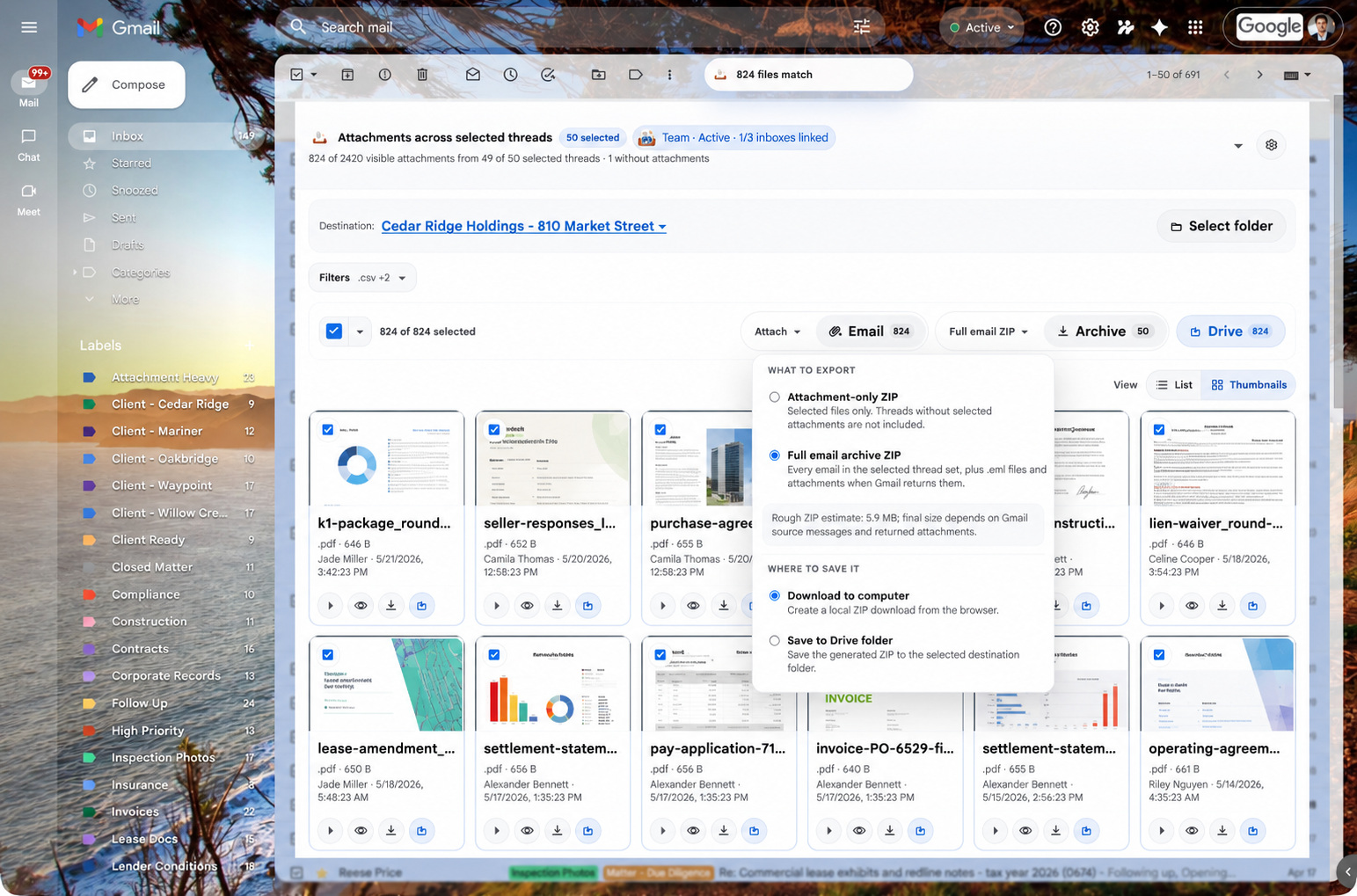
Turn a supported Gmail label, search, category, or system label into a Drive archive with emails, attachments, headers, and raw .eml files when available.
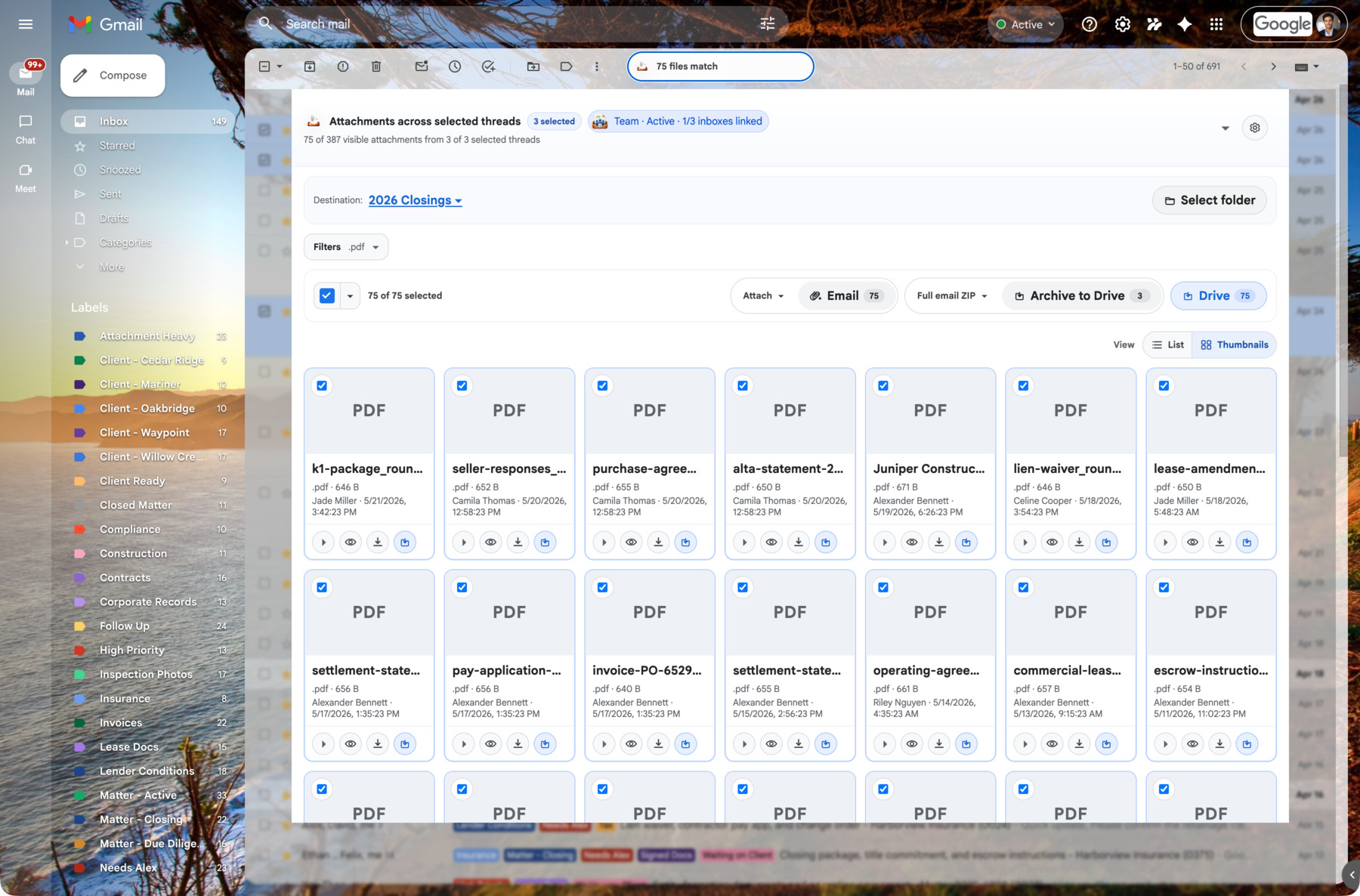
Choose visible Gmail rows and open AttachDock from the Gmail action toolbar.
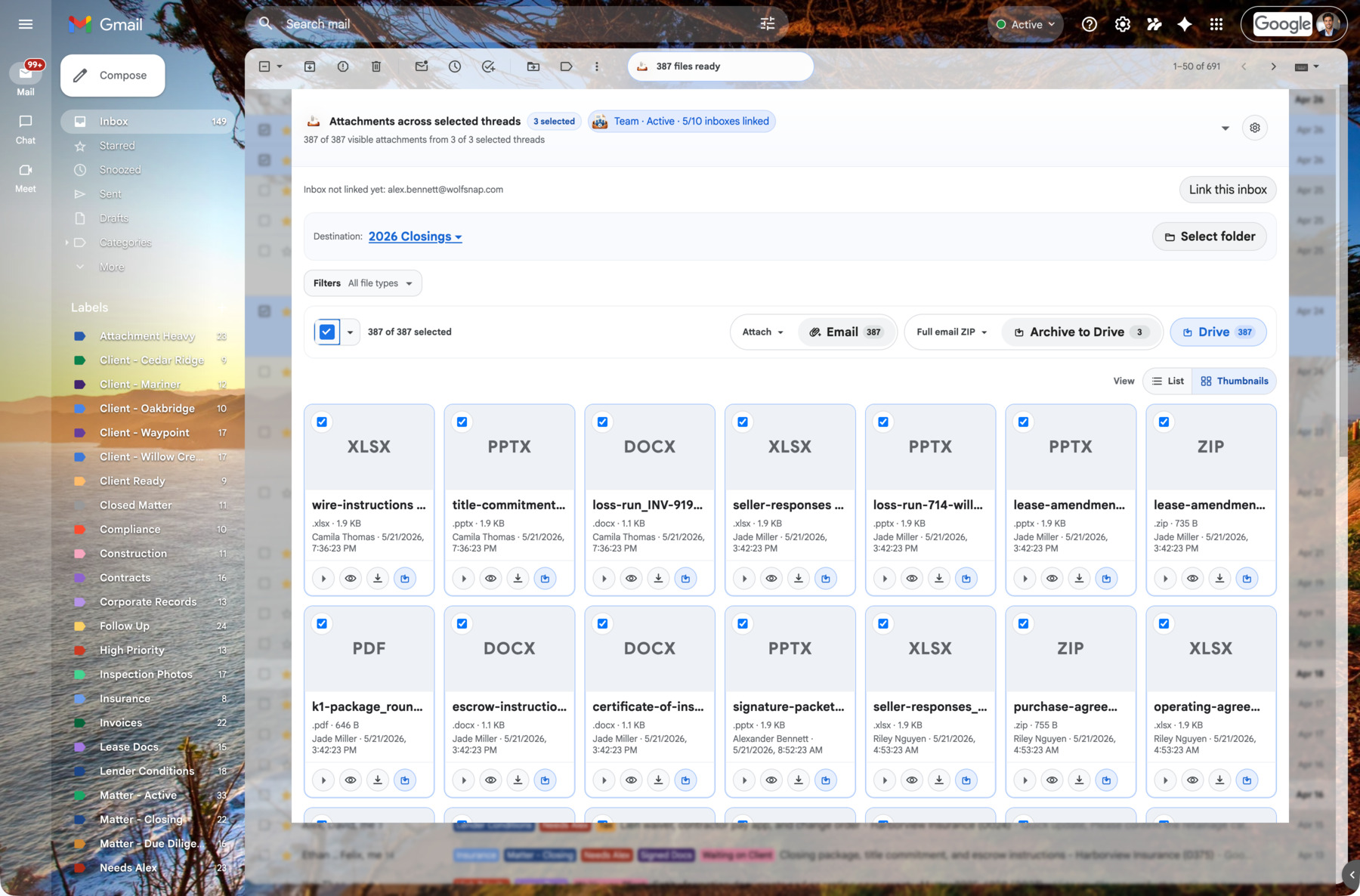
Review selected-thread attachments with controls for Email, full email ZIPs, Archive to Drive, and Save to Drive.
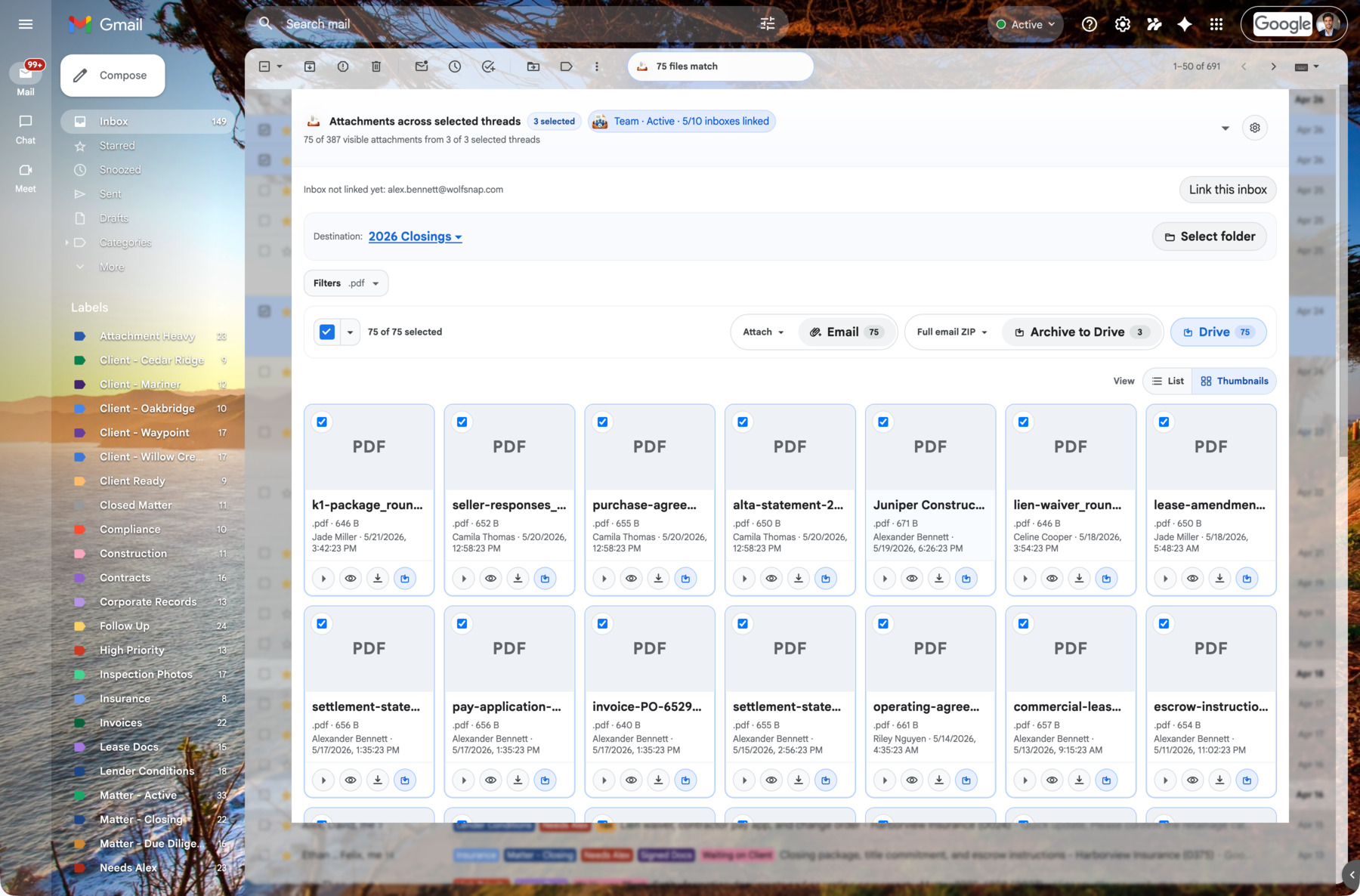
Switch from compact rows to thumbnail cards when visual review is easier than scanning a dense list.
Product demo
See selected Gmail rows become one reviewable attachment workspace, then email files, archive conversations, download ZIPs, or Save to Drive from the dock.
Your workflow follows your Google account
AttachDock ties plan access, saved destinations, and supported preferences to your authenticated Google identity. Install the extension on another computer, sign into Gmail with the same Google account, reconnect AttachDock, and your familiar workflow is ready again.
Access is based on the Google account you are already using in Gmail.
Keep supported tray layout and workflow preferences tied to your account.
Reuse regular Drive folders and filing locations when you sign in on another device.
Team users get account-aware plan access, mailbox context, and saved workflows across supported Gmail accounts.
Some browser-specific state, active jobs, and local caches remain device-specific. Drive and Gmail access still depend on the Google account you authenticate and the permissions available to that account.
For serious client work
Pro is great for filing attachments from a single thread and seeing files across selected threads. Business is built for professionals who work across client conversations, transaction threads, cases, projects, and shared Drive folders.
Review every useful attachment in a long conversation without expanding each message.
Select Gmail conversations and bring their attachments into one reviewable workspace.
Create structured ZIP archives with message pages, headers, .eml files when available, and attachments.
Queue supported label/search archives to Drive so large recordkeeping jobs do not depend on keeping the dock open.
File documents into the right Drive or Shared Drive folder, reuse destinations, and open AttachDock's picker from the Gmail thread or inline attachment controls.
Download attachment bundles, attach files to drafts, or insert Drive links with requested sharing.
Tune layout and metadata visibility for each inbox or use global defaults.
Who it's for
Find signed forms, disclosures, IDs, inspection reports, invoices, and lender docs buried across long transaction threads. Save selected files or archive the transaction record to Drive.
Review client documents, exhibits, correspondence, and attachments across matters. Click files to see source-message context before creating structured archives for review.
Collect invoices, W-9s, statements, receipts, and backup documents from email threads and vendor labels. Save files or archive the supporting record.
Gather resumes, onboarding packets, vendor docs, policy acknowledgments, and operational records from Gmail without manually opening every thread.
Pull deliverables, revisions, approvals, and project attachments into Drive folders or archive the full project communication trail.
Pricing
Free
$0
Review Gmail attachments without opening every message
Pro
$15.84/mo
$190 paid yearly
2 months free
File one thread faster. Review selected conversations without losing context.
Business
$40.84/mo
$490 paid yearly
2 months free
For professionals filing and archiving client, transaction, case, or project records every week
Team
$124.17/mo
$1,490 paid yearly
2 months free
Business for multiple people, plus central billing and seats
Enterprise
Contact
Organizations that need a formal vendor conversation
Business is the recommended plan for the complete professional workflow.
FAQ
AttachDock is a Gmail extension that helps you find attachments buried in threads, filter inline clutter, save attachment copies to Drive, create ZIP exports, and generate supported email archives with source records.
Yes. For supported Gmail scopes, AttachDock can queue a full email archive to Drive. The archive can include message pages, extracted attachments, headers, raw .eml files when Gmail returns them, and an index for review. Very large jobs depend on Gmail/API availability, account permissions, and product plan limits.
Both workflows exist. You can save selected attachment copies to Drive, export attachment ZIPs, or create full email archive ZIPs that include email content, headers, and attachment files when Gmail provides the needed data.
No. AttachDock saves copies of attachments and generated archives. It does not move Gmail attachments, remove files from Gmail, delete email, or modify the original message.